What you can change
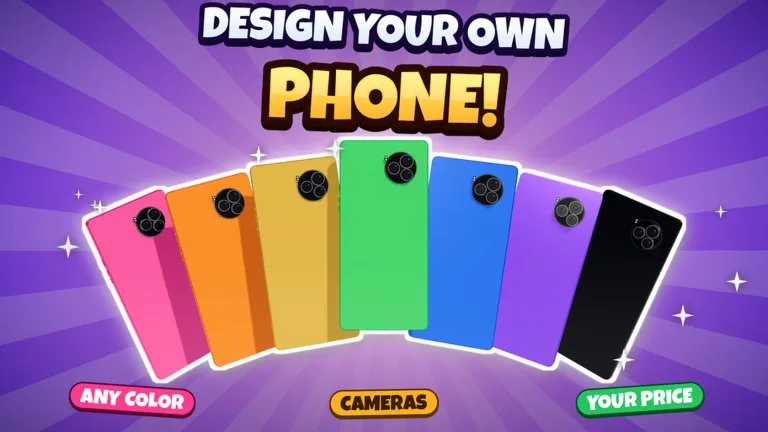
The experience listing names seven design controls: screen size, cameras, corners, buttons, colour, finish, and logo. You pick the parts, set the price, and hand the device to your team. No rarity, stat, or cash cost is published for any option, so this page compares decisions, not hidden power.
| Control | What is confirmed | What to decide |
|---|---|---|
| Screen size | You set it yourself | Change it when reviews or sales say the device feels wrong, not on the first click |
| Cameras | You choose them | Treat a richer camera as a price decision. The listing never says it sells by itself |
| Corners | You shape them | A visible change. Pair it with a price you can still defend |
| Buttons | You choose them | Keep the first phone understandable. Extra buttons are not given a stat |
| Colour | You choose the colour | Use it to make the product recognizable before you chase a premium finish |
| Finish | You choose the finish | Premium Finishes, 35 Robux, names six exclusive colours: Matte Black, Rose Gold, Midnight Green, Sunset Fade, Carbon, and Pearl |
| Logo | You set the logo | Logo & Wallpapers, 25 Robux, says you choose the back logo and the screen wallpaper |
A practical first phone
Make one coherent phone and launch it. If critics are harsh or live sales are weak, change one control or the price and launch again. Raising every control to the most expensive choice before the first review is a guess. The game does not publish a flagship checklist.
A second design
Extra Design Slot is 99 Robux. The catalog line says you build two devices at the same time. It does not say how many slots you start with. Use a second design when one phone is already selling, not as a substitute for the first launch.
Phones are the starting product. Tablets, smartwatches, earbuds, foldables, and laptops come from year-by-year research, covered in research. Pass prices and catalog lines are on Game Passes.